The INNOVA 3020RS review centers on a handheld OBD2 scanner that pairs a dedicated display with a phone app for code explanations and repair guidance.
It may suit drivers who want to check engine and ABS information themselves, while keeping in mind that vehicle compatibility and code coverage should be confirmed for a specific car.
INNOVA 3020RS Review Summary
The quick verdict
2,000+ ratings
Read Amazon ReviewsINNOVA 3020RS
A practical fit for drivers and home mechanics who want a handheld code reader with Bluetooth app guidance and ABS functions.
- Reads and clears OBD2 engine trouble codes and displays code severity.
- Includes ABS diagnostic functions for brake-related information.
- Checks emissions status and smog-test readiness.
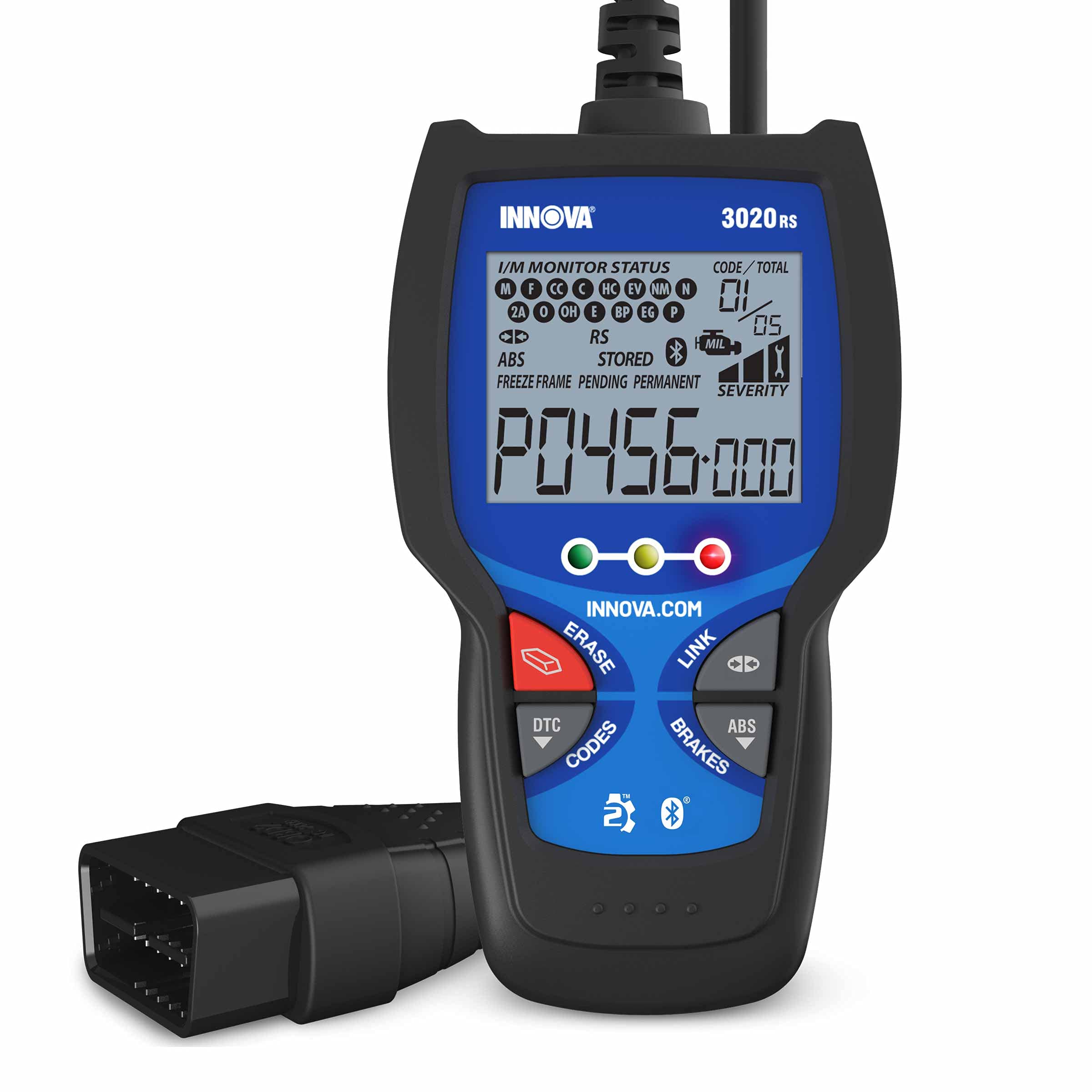
- Uses an all-in-one display that can show more than 20 pieces of information, with dedicated hotkeys for its functions.

Pros
- The built-in screen and hotkeys provide a direct way to view information at the vehicle.
- Engine, ABS, and emissions-readiness functions cover several common owner diagnostic needs.
Consider before buying
- Some of the repair guidance and related information depends on pairing with a compatible smartphone and using the companion app.
- The broad model-year range does not guarantee that every diagnostic function works on every specific vehicle; buyers should check compatibility before purchase.
Read the full review summary
The 3020RS combines a built-in display and dedicated hotkeys with wireless access to the RepairSolutions2 app. It reads and clears engine codes, shows code severity, checks emissions readiness, and includes ABS functions.
That mix is useful for a driver who wants to see diagnostic information at the vehicle and then use a phone for additional context.
Its app is positioned as a step beyond simply displaying a trouble code: it offers repair suggestions, part information, maintenance schedules, recalls, and technical service bulletins.
The tool is described for OBD2 cars, light trucks, SUVs, and hybrids from model year 1996 onward, but buyers should confirm coverage for their vehicle and the systems they plan to scan.
The buying factors
INNOVA 3020RS Scorecard
Editorial scores reflect listed features and buyer fit; they are not laboratory measurements or customer ratings.
On-device usability
The dedicated screen, hotkeys, and ability to view more than 20 pieces of information at once support quick access without relying on the phone for every step.
Diagnostic breadth
Engine and ABS functions extend its use beyond a basic engine-code reader, though the supplied description does not detail every supported module or vehicle-specific function.
Repair guidance
The companion app offers verified fixes, parts guidance, maintenance schedules, recalls, and TSB access, giving owners several ways to follow up on a code.
Emissions readiness
The scanner can check emissions status and help users see whether the vehicle is ready for a smog test.
Vehicle fit clarity
The stated fit covers 1996-or-newer OBD2 cars, light trucks, SUVs, and hybrids, but buyers should still verify specific make, model, year, and ABS coverage.
Independent operation
A built-in display makes the reader usable at the vehicle, while wireless app features depend on a compatible phone and app setup.
Key Features and Specifications of INNOVA 3020RS
- Reads and clears OBD2 engine trouble codes and displays code severity.
- Includes ABS diagnostic functions for brake-related information.
- Checks emissions status and smog-test readiness.
- Uses an all-in-one display that can show more than 20 pieces of information, with dedicated hotkeys for its functions.
- Pairs wirelessly with the RepairSolutions2 mobile app on Apple and Android devices for repair suggestions, parts guidance, schedules, recalls, and TSBs.
- Designed for OBD2-compatible cars, light trucks, SUVs, and hybrids from model year 1996 onward; confirm compatibility for the particular vehicle.
Pros and Cons of INNOVA 3020RS
Pros
- The built-in screen and hotkeys provide a direct way to view information at the vehicle.
- Engine, ABS, and emissions-readiness functions cover several common owner diagnostic needs.
- The companion app adds repair and maintenance context beyond code definitions.
- The stated vehicle range includes cars, light trucks, SUVs, and hybrids from 1996 onward.
Consider before buying
- Some of the repair guidance and related information depends on pairing with a compatible smartphone and using the companion app.
- The broad model-year range does not guarantee that every diagnostic function works on every specific vehicle; buyers should check compatibility before purchase.
- The product description does not specify the full set of supported modules or vehicle-specific tests, so buyers needing specialized diagnostics should confirm those functions first.
Who Should Buy INNOVA 3020RS?
Good fit
Consider the INNOVA 3020RS if you want an at-the-car display for checking engine codes, ABS information, and emissions readiness, with a phone app available for next-step guidance.
The combination is especially relevant to drivers who prefer to read a code on a handheld tool and then consult repair suggestions or maintenance information on a phone.
It can also make sense for a home mechanic who wants a reader spanning several common vehicle categories and model years.
Before ordering, check the scanner’s compatibility information for your exact year, make, and model, and confirm that the ABS and other functions you expect are supported.
The app features are a central part of the package’s repair guidance. If you plan to use those tools, verify that your phone supports the app and that a wireless connection fits your preferred workflow.
Who should skip it
Look elsewhere if your priority is a fully specified set of advanced, vehicle-specific diagnostics and you cannot confirm that the 3020RS supports the modules or tests you need.
A general OBD2 compatibility statement is not enough to establish coverage for every system.
It may be a poor fit if you want to avoid using a smartphone for repair explanations and follow-up information.
The handheld screen covers direct scanner use, but the described guidance and extra app resources require the mobile application.
How the INNOVA 3020RS Fits Everyday Diagnostics
A screen-first approach to checking codes
The dedicated display and hotkeys give the 3020RS a useful role as a tool kept near the vehicle: drivers can access diagnostic information on the scanner itself rather than starting every interaction in an app.
Showing more than 20 pieces of information on one screen may reduce menu navigation, though the description does not identify exactly which data points appear together.
Code severity and the next decision
The reader displays code severity, which can help an owner decide whether to investigate promptly or arrange follow-up.
Treat that indication as guidance for prioritizing attention, not as a substitute for diagnosing the cause or assessing the vehicle’s condition.
Repair recommendations can help frame the next step, but a code alone does not establish which repair is appropriate.
Emissions checks before a test
Emissions-status and readiness functions make the scanner relevant to drivers preparing for a smog inspection.
Checking readiness in advance can show whether the vehicle’s emissions monitors are prepared for the test, helping the owner decide whether further diagnosis or preparation is needed.
The app adds repair context
The RepairSolutions2 app broadens the experience with fix suggestions, parts guidance, maintenance schedules, recalls, and TSBs.
Those options could help an owner move from a code toward research and planning, while the handheld reader remains the place to view core scan information. Confirm the app and vehicle fit before relying on a particular feature.
Alternatives to INNOVA 3020RS
One useful alternative is included because it offers a distinct phone-centered diagnostic approach and broader named system coverage.
Code Readers & Scan Tools alternative
63,000+ ratings
Read Amazon ReviewsBlueDriver OBD2 Scanner
Choose the INNOVA if a dedicated handheld display and hotkeys are important, after checking coverage for your vehicle.
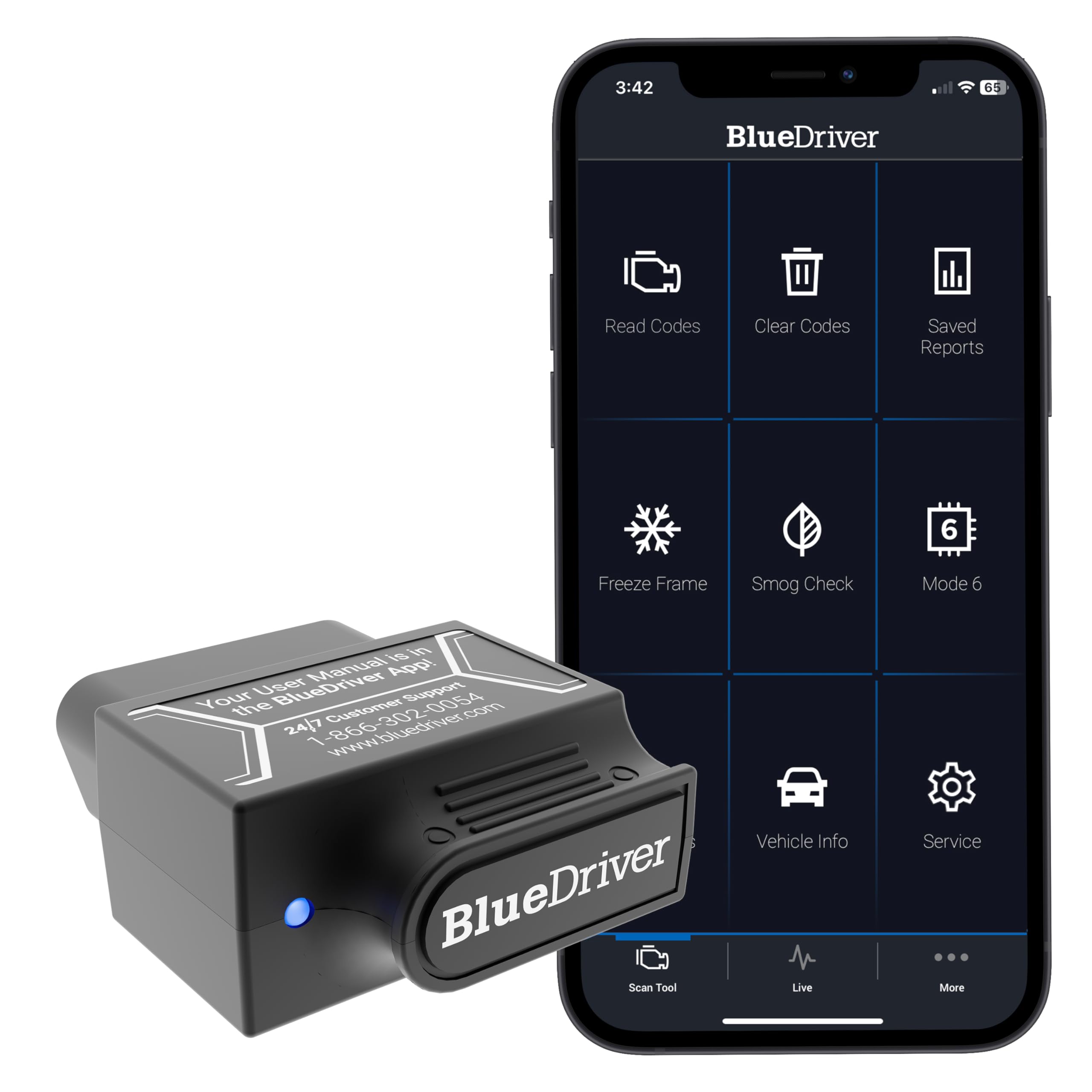
Consider BlueDriver if you prefer a phone-centered wireless setup and want its listed coverage for additional systems such as SRS, TPMS, or transmission; confirm compatibility for your vehicle before choosing.
- BlueDriver is a Bluetooth sensor that connects to a phone or tablet and provides diagnostics for check engine, ABS, SRS, airbag, TPMS, and transmission systems.
- Its app includes live data, freeze frames, smog readiness, Mode 6 results, and repair reports matched to the vehicle identification number.
- The INNOVA 3020RS combines an onboard display and hotkeys with engine, ABS, and emissions-readiness functions, plus phone-app repair guidance.
Is INNOVA 3020RS Worth It?
The INNOVA 3020RS is worth considering for drivers and home mechanics who want an accessible handheld reader with engine-code, ABS, and emissions-readiness functions, plus app-based repair guidance.
Its built-in display and hotkeys make the core scan experience straightforward to approach.
Check exact vehicle coverage and the app’s compatibility before buying, especially if you need a particular diagnostic system or test. For routine owner-level checks, the 3020RS offers a practical mix of on-tool access and mobile follow-up.
Your review at a glance
2,000+ ratings
Read Amazon ReviewsINNOVA 3020RS
A practical fit for drivers and home mechanics who want a handheld code reader with Bluetooth app guidance and ABS functions.
- Reads and clears OBD2 engine trouble codes and displays code severity.
- Includes ABS diagnostic functions for brake-related information.
- Checks emissions status and smog-test readiness.
- Uses an all-in-one display that can show more than 20 pieces of information, with dedicated hotkeys for its functions.